Records and Streams
Records provide high-performance storage for bulk structured data within the Industrial Knowledge Graph. Unlike Data Modeling instances, records don't create nodes or edges in the graph, enabling storage of billions of entries without impacting graph performance or consuming instance budgets.
Overview
Records are structured data objects stored in streams. Like Data Modeling instances, records use containers to define their schema and spaces for access control.
When to use Records
Use Records for:
- High-volume immutable data: Logs, events, and notifications (OPC UA events, PI EventFrames, well logs, manufacturing batch logs)
- Archived/historical data: Completed work orders, resolved alarms, concluded activities
- Infrequently updated operational data: Active work orders or alarms with low update frequency over their lifecycle
See the comparison table below for detailed differences between records and Data Modeling instances.
Core concepts
Streams
Streams are logical containers that define data lifecycle policies for records, including:
- Retention periods (how long records are stored before automatic deletion)
- Mutability (whether records can be updated after ingestion)
- Performance characteristics (ingestion and query throughput limits)
- Storage phases (hot vs cold data access tiers)
Each stream is created from one of the available templates, which cannot be changed after creation. Streams are independent from spaces and containers—a single stream can contain records from multiple spaces with different container schemas.
A stream must be defined before records can be ingested, and must be referenced when retrieving records.
Stream templates
The current Stream Templates are in beta. This means:
- New templates may be added based on product development and user feedback
- Existing templates may be modified or removed if necessary
- Such modifications will not affect existing streams created from these templates
Choose your template carefully for production use, as templates cannot be changed after stream creation.
When creating a stream, you select a stream template that defines the stream's behavior, performance, and lifecycle policies. The following stream templates are available for all CDF projects:
| Template | Mutability | Intended Purpose |
|---|---|---|
| ImmutableTestStream | Immutable | Sandbox testing of immutable record data |
| BasicArchive | Immutable | Long-term archival storage with unlimited retention |
| BasicLiveData | Mutable | Infrequently updated "live" data |
For enterprise CDF subscriptions, additional high-scale stream templates are available, supporting:
- Streams: Up to 30 active streams per project
- Records: Up to 5 billion (immutable) or 100 million (mutable) records per stream
- Storage: Up to 5 TB (immutable) or 300 GB (mutable) per stream
- Max Write: Up to 170 MB per 10 minutes per stream
- Max Read: Up to 1.7 GB per 10 minutes per stream
Contact your Cognite representative to learn more about these options.
The choice between mutable and immutable records has significant scale implications. Different stream templates support different maximum record counts and storage capacities.
Review the limits and specifications for each template in the Streams API documentation before creating your stream, and choose your stream template carefully based on your expected data volume and mutability requirements.
Once a stream has been created with a specific template, changing the template requires deleting all records from the stream, deleting the stream, then creating a new stream with the correct template.
For detailed specifications, limits, and throughput rates for each template, see the Streams API documentation.
Stream templates define limits that, when exceeded, cause the Records API to return HTTP 429 Too Many Requests responses. For a summary of Records resource limits and API operation limits, see Limits and restrictions. Any program or service using the Records service should apply the recommended approaches to managing concurrency and rate limits enforced by the platform.
Deleting streams
When you delete a stream, it enters a soft-deleted state to protect against accidental data loss. During this period:
- The stream and its data are preserved but inaccessible (no ingestion or queries)
- The stream doesn't count toward the active stream limit
- You cannot create a new stream with the same identifier
- The stream can be recovered by contacting Cognite Support
The duration of the soft-deleted state depends on the stream template, ranging from 1 day for test streams to 6 weeks for production streams. After this period, the stream and its data are permanently deleted.
For limits on active and soft-deleted streams, see Limits and restrictions.
Records
Records are immutable or mutable data objects (depending on stream template) that represent individual events, logs, or historical entries.
An industrial knowledge graph primarily describes relationships between entities, represented as nodes and edges. Nodes can be physical entities (like equipment), or logical ones like activities and process stages. However, when handling bulk data (e.g., logs, historic records), storing each individual record as a node can significantly degrade query and data retrieval performance because of the increased relational complexity. This is an anti-pattern that should be avoided.
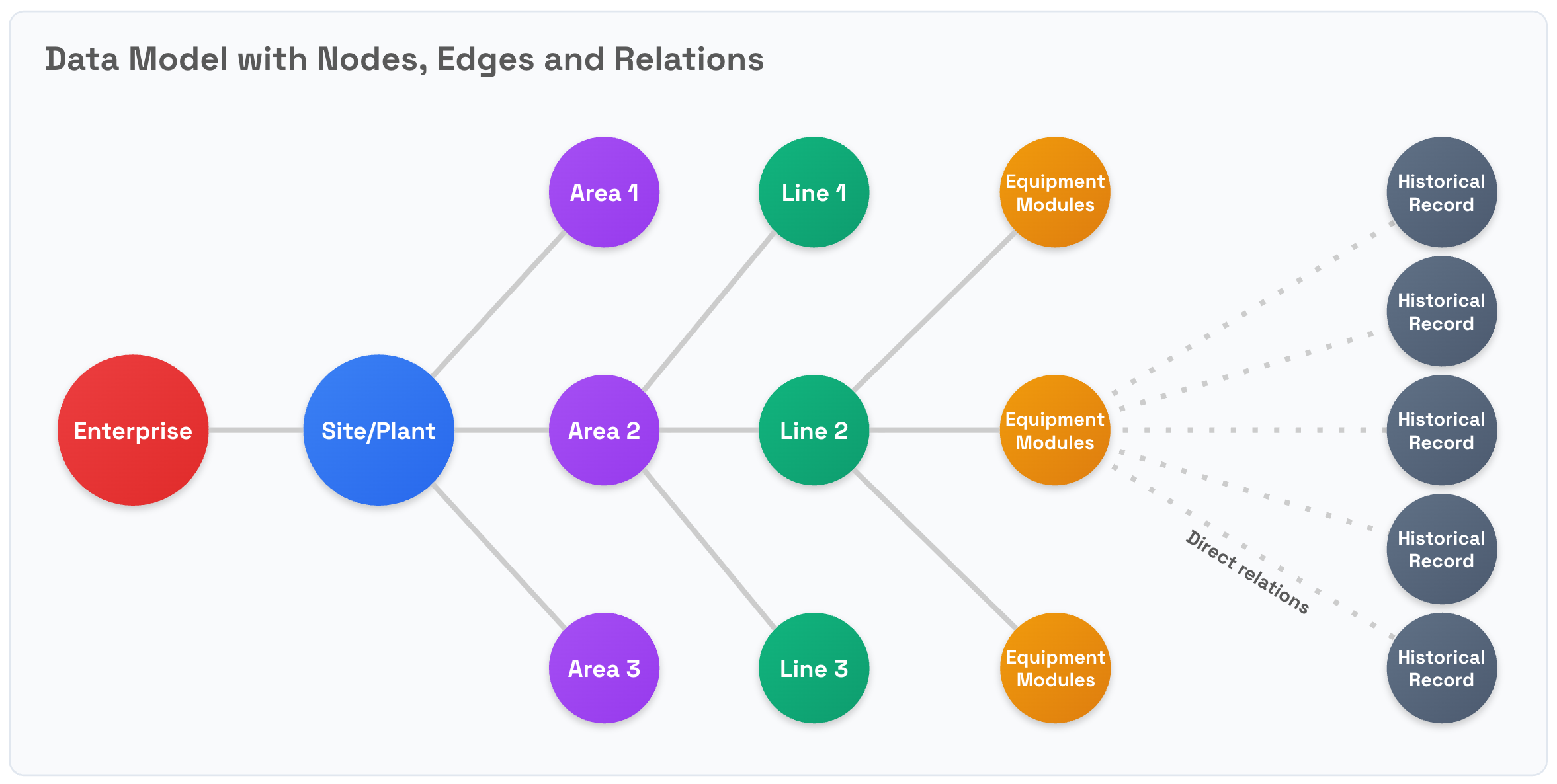
Use the Records service to avoid the performance penalties that these increased relational complexities may trigger for high-volume data. Records, together with streams, let you store high-volume structured data in bulk, improving both the performance and scalability of your CDF-based solutions.
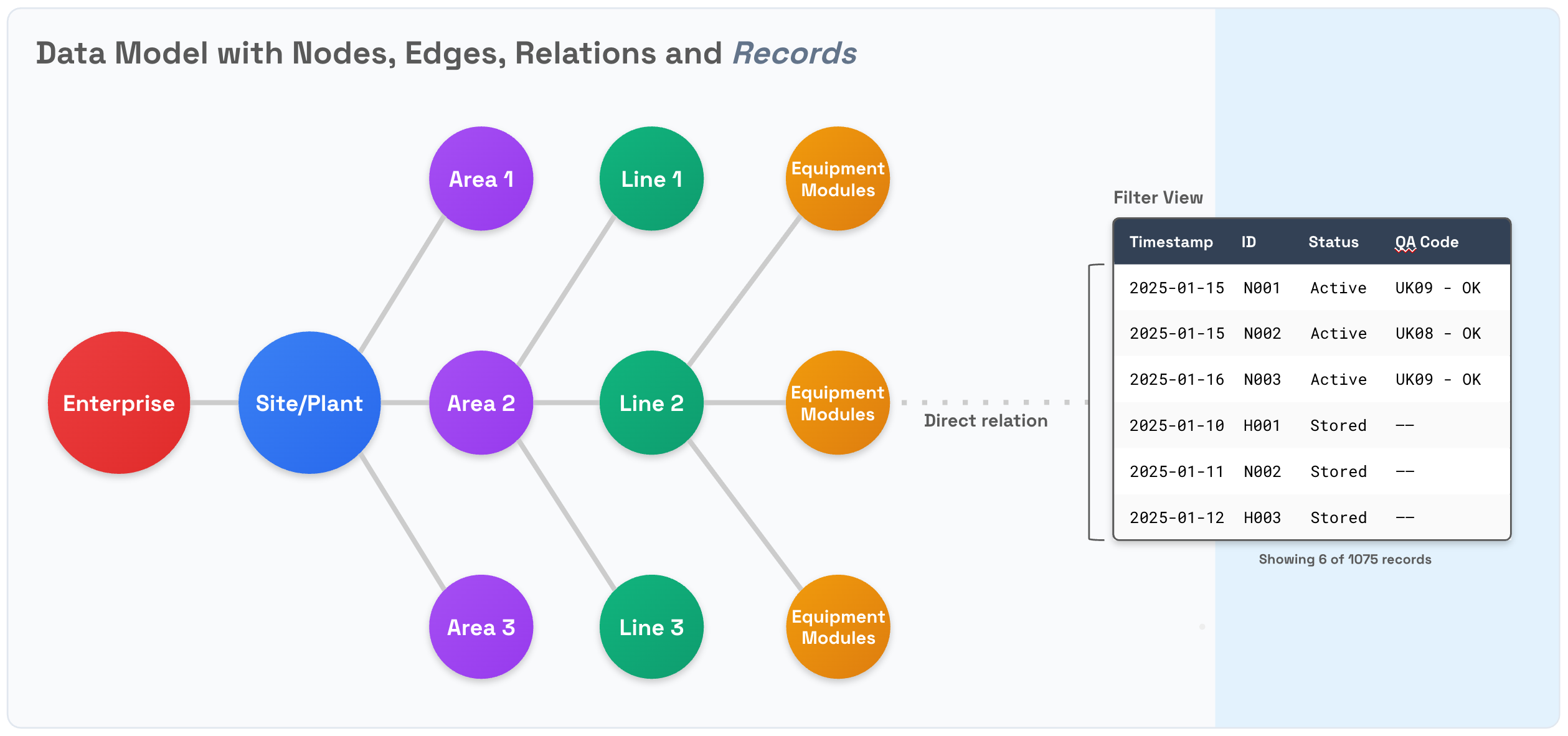
Although records support mutability, mutating records comes at a significant processing and ingestion cost compared to Data Modeling instances. Immutability is a key feature of the design for records. This guarantees that historic records cannot be altered, while also delivering cost-effective support for massive storage volumes.
Records vs nodes
| Data Modeling Nodes | Records | |
|---|---|---|
| Storage | Entities in the industrial knowledge graph | Data stored in streams as large batches |
| Identification | Instances must have a unique external ID per node in the space | See Identifiers for records |
| Mutability | Mutable by default, immutable by configuration | Depends on the stream template applied when creating the stream |
| Data Volumes | Millions of nodes with low growth (once the initial graph is defined) | Billions of records per year continuously |
| Structure | Structured using containers, option to use JSON for semi-structured data | Structured using containers, option to use JSON for semi-structured data |
| Relationships | Many-to-many in a mesh, defined by edges and direct relations between instances | Connected to Data Modeling instances via direct relations in the records |
Identifiers for records
In Data Modeling, you identify nodes using a combination of the space ID and the mandatory node external ID. The external ID of the node must be unique in the space it is scoped to, but for different spaces, you may repeat the node external ID.
Records also use external IDs. Just like in Data Modeling, a record's external ID belongs to a space and is stored in a stream that can include records for multiple spaces. For records, the type of stream determines the constraints for the record's uniqueness:
-
Mutable streams: The service enforces uniqueness for a record with a given external ID and space ID combination. Subsequent updates to the same external ID/space/stream combination will result in updates to the single copy of the record.
-
Immutable streams: The service does not enforce uniqueness of the external ID and space ID for a record. An immutable stream can have several copies of the same stream/space/record external ID combination. This is useful for storing the full history of the record. You can use the filtering capabilities of records for bulk retrieval of these "duplicate" records.
In a single write request to a mutable stream, all combinations of space + externalId must be unique. You cannot create and update a record with the same space and external ID combination in the same POST request to /streams/{streamId}/records.
Spaces
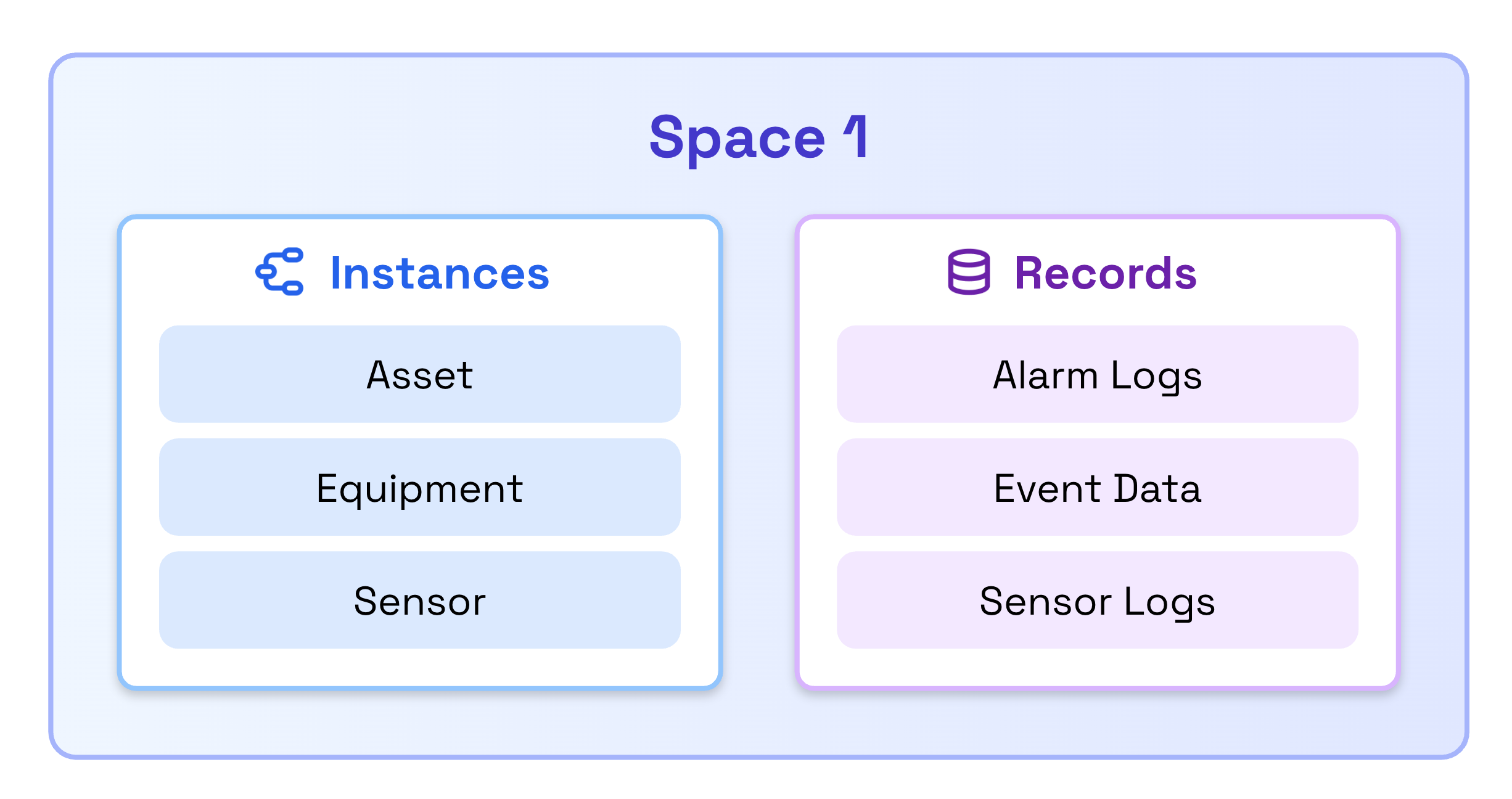
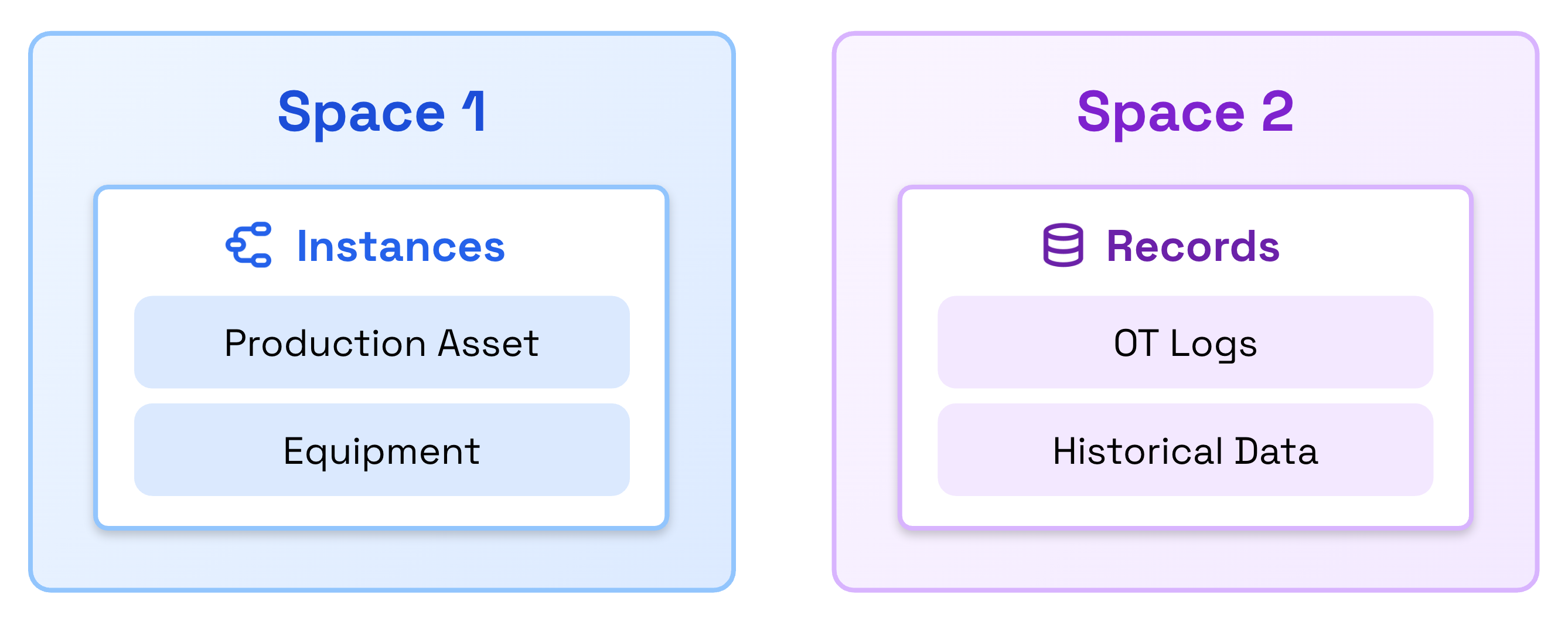
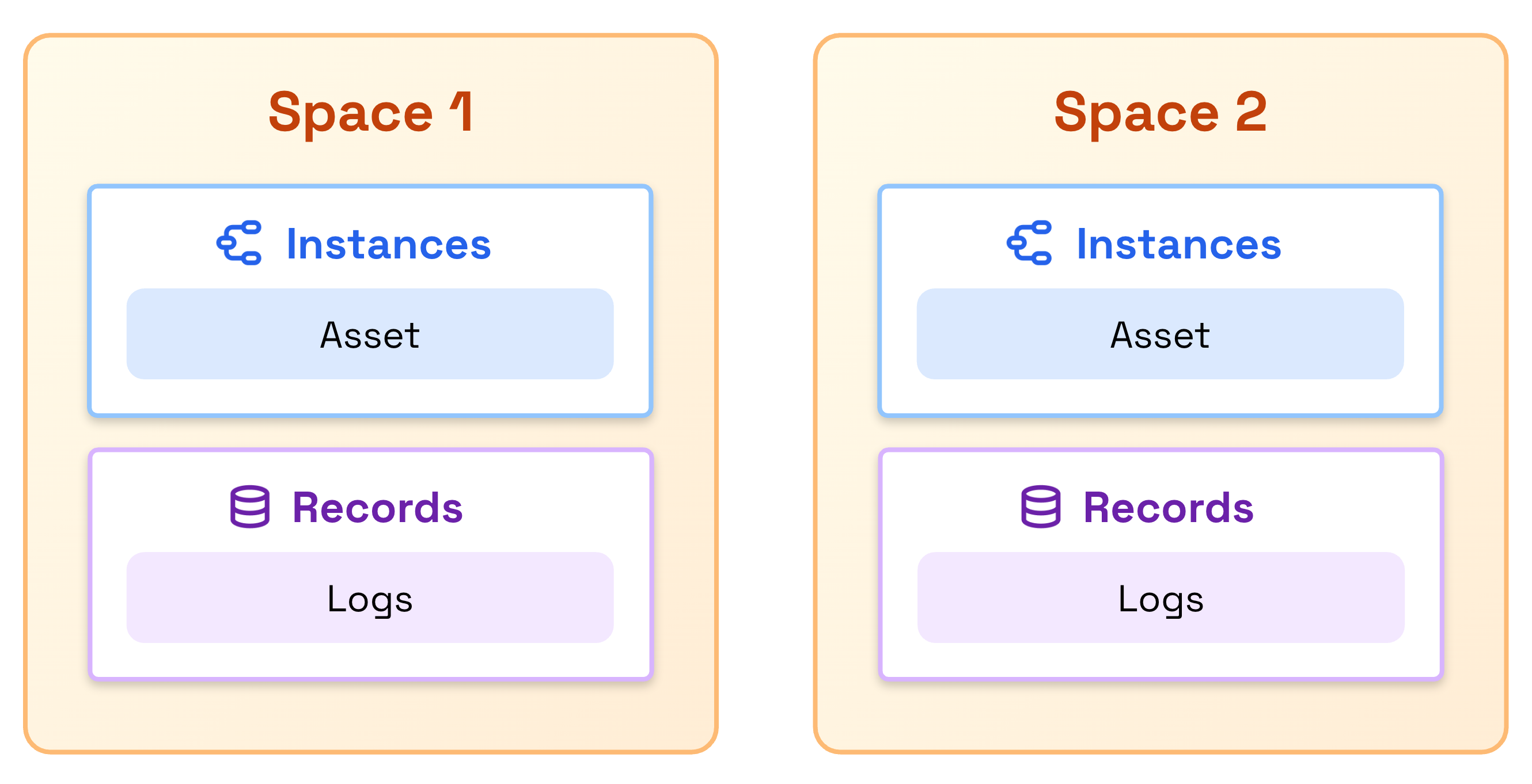
Records use Data Modeling spaces for access control and organization. Records are ingested to a space, which must be defined before ingestion.
Records can share spaces with Data Modeling instances, be stored in dedicated spaces, or use multiple shared spaces depending on your access control requirements.
Currently, you can delete a space that contains records. However, in the near future, deleting a space with records will be prevented, forcing you to delete all records from the space before you can delete the space itself, making this consistent with Data Modeling behavior.
If you delete a space and recreate it with the same external ID, the records will still be associated with the original space ID and remain accessible in queries.
Containers
Records use data modeling containers to define their schema. You can only ingest records into containers with usedFor set to record.
Containers designated for records (usedFor: record) support significantly more properties than standard containers used for nodes and edges. See Limits and restrictions for specific property limits.
Records currently do not support the enum property type, even though this type is available for Data Modeling nodes and edges. Support for enum properties in records will be added in the near future.
If you try to ingest records into a container that includes an enum property:
- The API returns a
4xxerror if the ingested data includes a value for that enum property. - The ingestion succeeds if the ingested data omits the enum property.
Deleting a container makes all records using that container permanently inaccessible, even if you recreate a container with the same external ID and schema.
Plan your container schema carefully before ingesting records, as you cannot recover access to records after deleting their container.
Linking records to nodes in the knowledge graph
To define the relationship between records and one or more nodes in the knowledge graph, set a property in the record to store the reference for the related node identifier. This lets you retrieve records linked to the specific node using a filter.
When designing your container schema, include properties that you'll use for filtering and querying records. For example, if you need to retrieve all records associated with a specific asset, include a direct relation to the associated asset in your container. This allows the Records service to efficiently filter records without scanning the entire stream.
Example: A container for maintenance logs might include properties like asset, timestamp, and severity to enable efficient filtering by asset, time range, or severity level.
Capabilities
Records and streams have their own capabilities for access control. These capabilities are independent of each other and are not inherited from the Data Modeling service. However, because records rely on the Data Modeling container feature, users must have the dataModels:READ capability to read and/or write records in a stream.
Data ingestion
The Records service operates with near real-time consistency. When you ingest or update records, there is typically a brief delay, up to a few seconds, between when the API returns a successful response and when the changes become visible in search results, filters, and aggregations.
This delay occurs because the service periodically makes newly ingested data searchable, balancing performance for high-volume data ingestion with quick data availability. In most cases, new or updated records become searchable within 1-2 seconds of ingestion.
What this means for your application
- Write-then-read scenarios: If you ingest a record and immediately query for it, the record may not appear in the results yet. Consider implementing a brief retry mechanism or delay if your workflow depends on immediate read-after-write consistency.
- Immediate updates: For use cases with low data volumes requiring immediate visibility of every update, consider using Data Modeling instances instead of records.